
The idea of digital citizenship has long been a topic of interest for me. As a member of the technology staff, and as a parent, I have a vested interest in how our district approaches technology use, access and control. DC has always been a topic of discussion amongst teachers and technology staff as we are a 1:1 district in grades six through twelve. All of our elementary schools also have a variety of iPads and MacBooks for students to use. Some of the elementary teachers, in some of the schools, touch on appropriate computer usage and there is a program in place in our middle school, but there is no district wide, organized initiative to focus on digital citizenship with students on a regular basis. I would like to learn more about what digital citizenship encompasses and how it can and should be integrated into the school curriculum.
How might we ensure that educators and learners practice ethical, legal and safe use of technology?
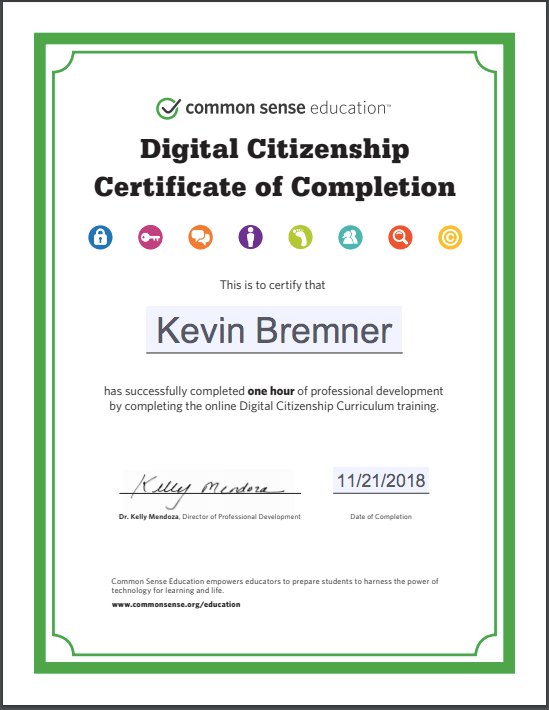
Common Sense is a non-profit organization founded in 2003 that has dedicated itself to educating students, teachers and parents about using technology safely and effectively. One of their core missions has been digital literacy. Their organization has created an extensive training program for parents and educators to teach them how to interact with technology with their students at every grade level. Additionally, they offer a number of guided lesson plans to make teaching digital citizenship easier and more effective, especially for those who may not be as comfortable with technology as some of their colleagues but still realize the importance of having that knowledge. The Common Sense Digital Citizenship Training is a great start to understanding the importance of and how to teach and discuss digital citizenship. From here, you can explore other Common Sense resources or find resources from other outlets that will help create more informed consumers of technology.
Plan for educational experience (of K-12 students or adults learners) that demonstrates the ability to use educational technology, sound educational philosophy, and plan for local context.
Many of the programs online for teachers to become proficient in and able to teach digital citizenship are designed with very in-depth curriculums available as part of the program. This material can be used with little to no modification if needed by teachers with minimal understanding or fluency with technology but still want to be involved in creating positive DC instruction. The curriculum can, however, be modified to meet the needs and teaching styles of individual teachers. This is, in fact, encouraged by Common Sense and Google for their respective programs. This could include more directed, teacher led instruction in younger grades where a more pedagogical approach is needed to present the material. For older or adult learners, a more open ended inquiry based approach could be incorporated to facilitate better understanding.
List filters for considering new educational tools that demonstrate awareness of ethical, legal, and safety implications of educational technology
- Does the tool/resource have a privacy policy that adequately protects the privacy of users, especially if students will be required to create an account? I recently learned that the answer to this question is almost always no! Most online educational service providers do not meet the legal requirements of state and federal mandates for privacy requirements. There is a movement underway through the Maine Student Privacy Alliance to create a standard Student Data Privacy Agreement that can be used by districts when negotiating privacy agreements with vendors.
- Does the tool/resource expose students to unwanted email advertisements or solicitations?
- Does the tool/resource use student data or work in media or publications or make available to third parties that may be counter to the student or student guardians indications for sharing as indicated on information release forms?
- Does the tool/resource keep students focused on the educational task or does it provide points of distraction that will encourage students to start “wandering” the internet?
- Does the tool/resource require “whitelisting” from the district’s technology department? If so, does it violate district acceptable use policies?
- Does the tool/resource aid in positive teaching or reinforcing teachings about digital citizenship?
Scholarly Resources:
Dotterer, G., Hedges, A. & Parker, H. (2016, November). Fostering Digital Citizenship in the Classroom. Education Digest, 82(3), 58-63. Retrieved from https://library.umaine.edu/auth/EZProxy/test/authej.asp?url=https://search-ebscohost-com.prxy4.ursus.maine.edu/login.aspx?direct=true&db=a9h&AN=118249106
This article focuses on the need to teach digital citizenship in schools, but especially in the early grades. It makes a distinction between older users who are “immigrants” to the technology world and younger users who are “natives” because they have been exposed, in many cases since early childhood. This, however, does not mean that the “natives” don’t need a lot of guidance. Overall, this serves to summarize the need for digital citizenship education but gives some good insight to some topics that might be overlooked such as the need to stress the need to emphasize the positive benefits of safe technology use and not just spelling out consequences for inappropriate.
Gleason, B., & von Gillern, S. (2018). Digital Citizenship with Social Media: Participatory Practices of Teaching and Learning in Secondary Education. Journal of Educational Technology & Society, 21(1), 200–212. Retrieved from https://library.umaine.edu/auth/EZProxy/test/authej.asp?url=https://search-ebscohost-com.prxy4.ursus.maine.edu/login.aspx?direct=true&db=a9h&AN=127424791
This article discusses the importance of digital citizenship training for students of all ages, particularly middle and high school students, but also talks about using social networking as a way to implement this training in a “student centered” format using tools the students are already using. It also gives a number of examples to highlight their belief that digital citizenship should be taught by integrating the lessons into using the technology for real world issues. The ideas presented will help prioritize information gathered and techniques studied to teach DC to older students to get the most out of the lessons.
Maughan, S. (2017, August 21). Teaching digital citizenship: school librarians lead students in the tech age. Publishers Weekly, 264(34), 35+. Retrieved from http://link.galegroup.com.prxy4.ursus.maine.edu/apps/doc/A501717263/AONE?u=maine_orono&sid=AONE&xid=6051b114
This article is an interesting synopsis of several case studies on using librarians or media specialists to expand a schools digital citizenship offering to students. It also mentions a number of digital citizenship curriculum or teaching aides in addition to the Common Sense program that I am interested in exploring more.
Curriculum & PD Resources:
- Common Sense Digital Citizenship training: This is the training program created by Common Sense to train educators to teach digital citizenship topics and integrate it into their classrooms. The training is broken down into K-2, 3-5, 6-8 and 9-12 programs to address the unique needs of students in those groups.
- Common Sense Digital Citizenship curriculum: This is the actual curriculum that Common Sense provides free to educators to help them integrate the topics and ideas into the classroom. Where as the training helped me understand the strategies for teaching DC, seeing the actual curriculum is helpful to see how the concepts could be integrated into existing lessons if you didn’t want to use the Common Sense curriculum as stand alone units. Alternately, this could be presented, without altering, as the curriculum for student consumption.
- Be Internet Awesome: Google’s foray into digital citizenship training for schools. This is a free program and curriculum that can be used by educators. It is similar to the program offered by Common Sense and could be used directly in the classroom without much modification.
- ISTE: ISTE provides standards for all things technology but specifically for digital citizenship. The organization also provides a number of resources, both free and paid for that address digital citizenship topics. One of the paid for resources is a course that instructs how to teach digital citizenship.
Professional Growth:
My inquiry question was fairly broad which allowed me to shift directions on where I wanted to look for more information as I found different resources. The biggest indicator that my research and efforts advanced my learning is that I am compelled to keep finding more information and continue learning about digital citizenship and how it can be implemented in my district. Due to the importance of this information to students and their safety and effective use I would like to share my knowledge with colleagues in some way and make myself a resource for teachers who want to delve into DC in their classrooms.
PLN Interactions:
My small group utilized Backchannel Chat as our collaboration platform. The platform itself, while very good in some ways, was not very conducive to a long term collaboration effort. The main shortcoming was that there was no notification if someone posted in the chat so it was necessary to load the site and check for new messages or replies or email the other member(s) to let them know that something new was posted.
We did schedule a time to meet in the chat for a collaboration session and in this context it did work well, much the way a traditional “chat session” would work. We had a nice back and forth that began around our respective projects and then shifted toward off-topic discussions but was still quite productive. This could be argued is the great benefit to this type of collaboration.
In addition to the small group interactions, I found, but was not able to participate in, a bi-weekly Twitter chat (#digcit) that is dedicated to discussing digital citizenship issues. Looking at past chats, it will be a good resource going forward to discuss and hear about digital citizenship issues. Unfortunately, with the Thanksgiving holiday, the chat that would have been scheduled during this section was not held. One of the troubles I found with finding appropriate Twitter chats was the inability to find out a topic ahead of time. There are a number of resources available that list available chats and when they occur but not the specific topic. This makes it hard to sift through the vast number of potential experiences to find one that would be of interest.
Next Steps:
Next steps are to continue with the Common Sense curriculum to learn about their programs for all K-12 grades and to work toward becoming certified as a Common Sense Educator. Additionally I would like to look into some of the curriculums provided by other organizations including Everfi Ignition and Google Be Internet Awesome. Beyond that would be to help implementing more training for students and staff throughout the district to increase student exposure to digital citizenship concepts.
 kevinsmastersprogram.code.blog